

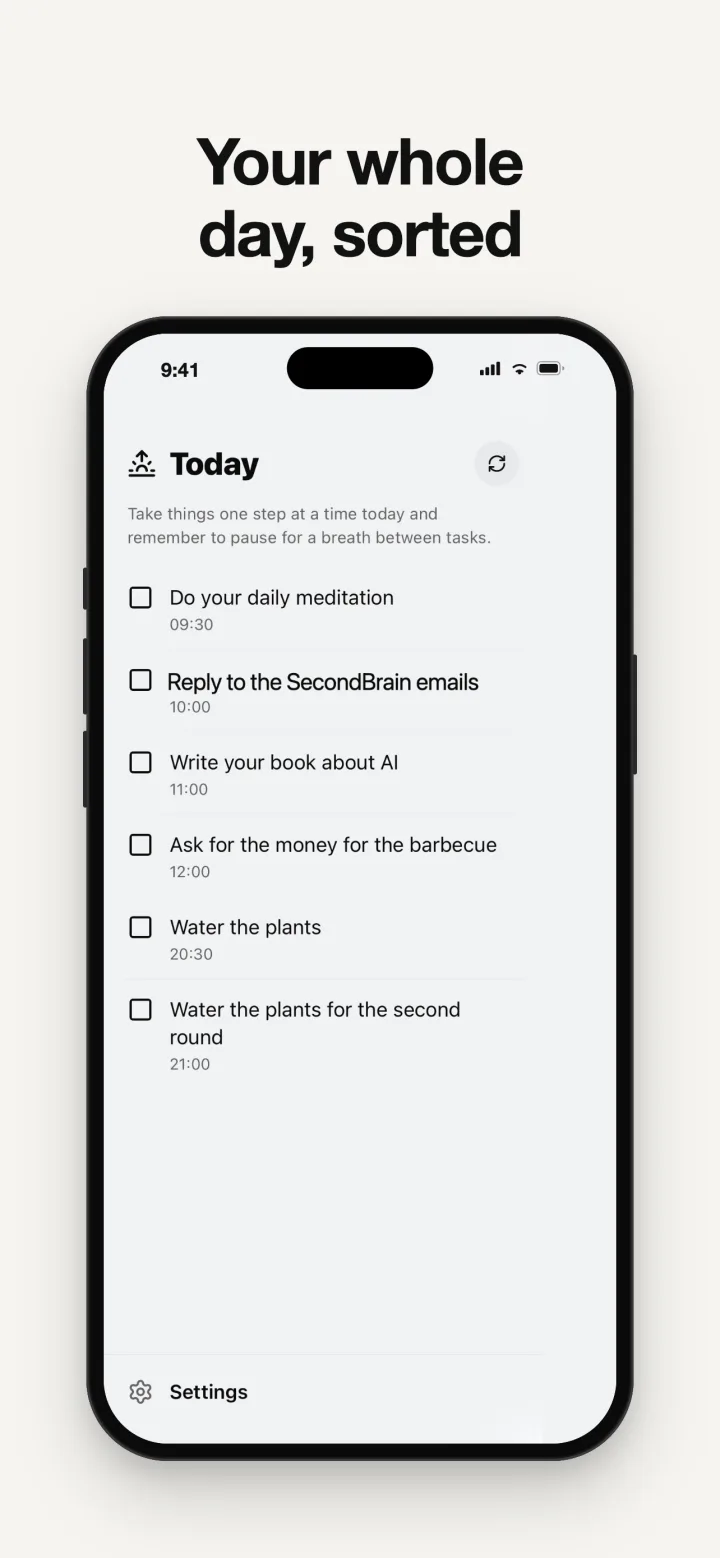
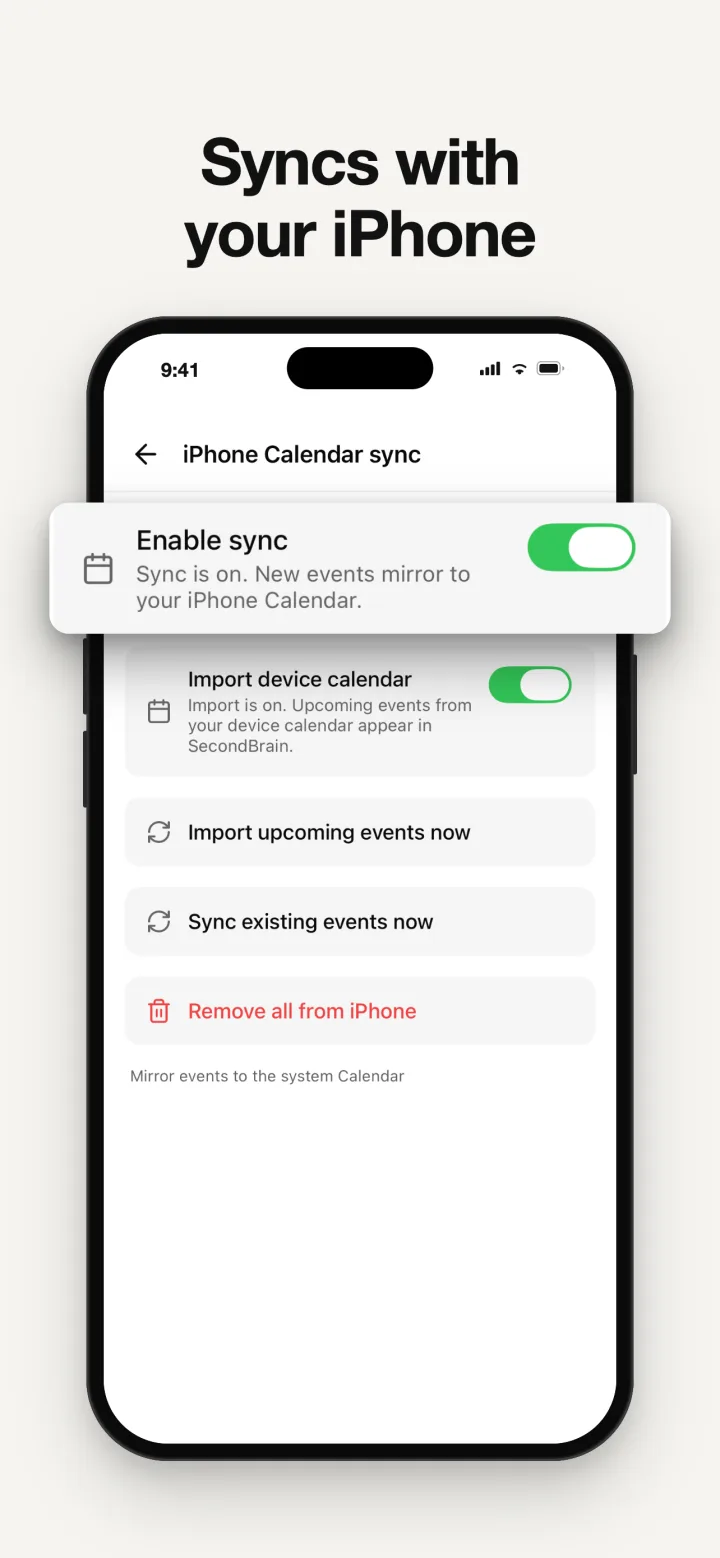
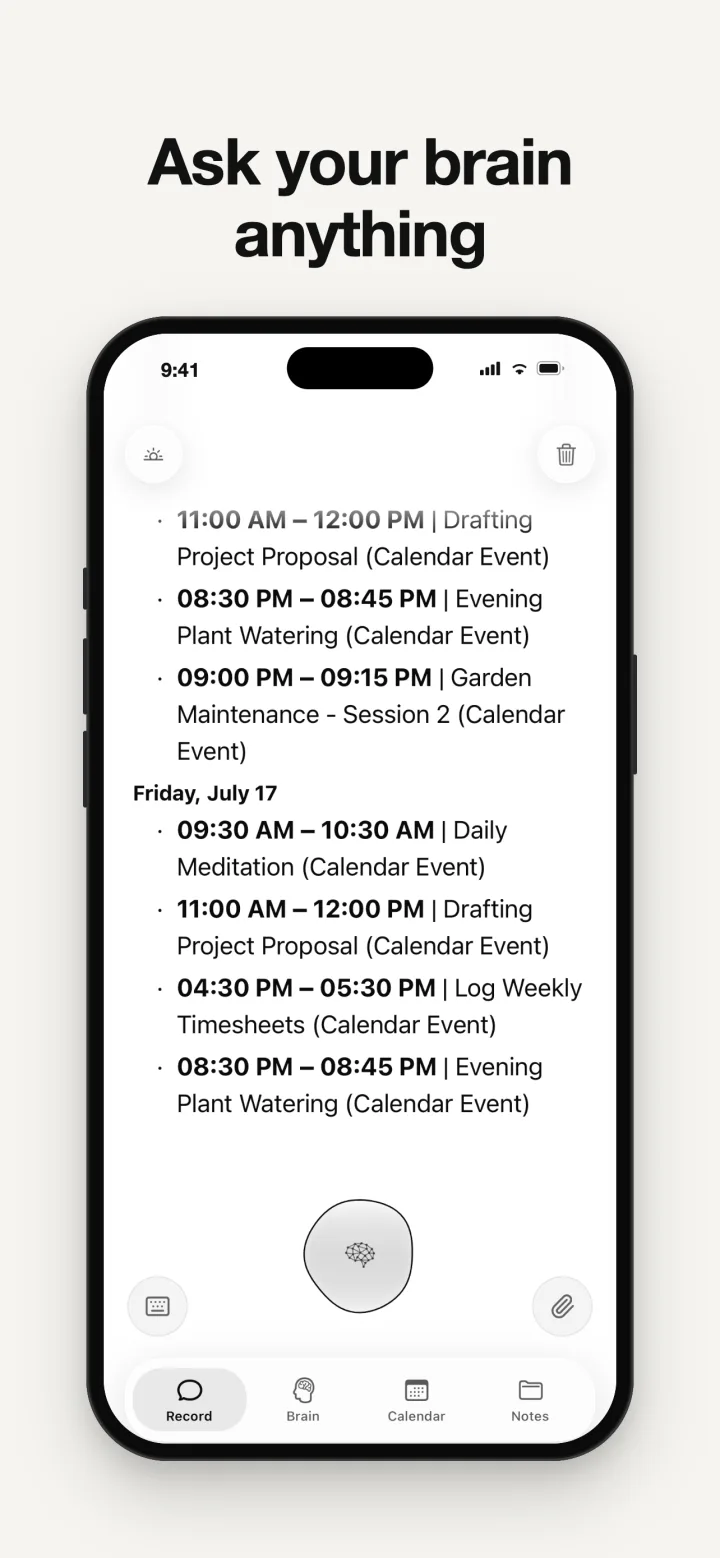


SecondBrain

The AI second brain app Il tuo secondo cervello, con l'AI

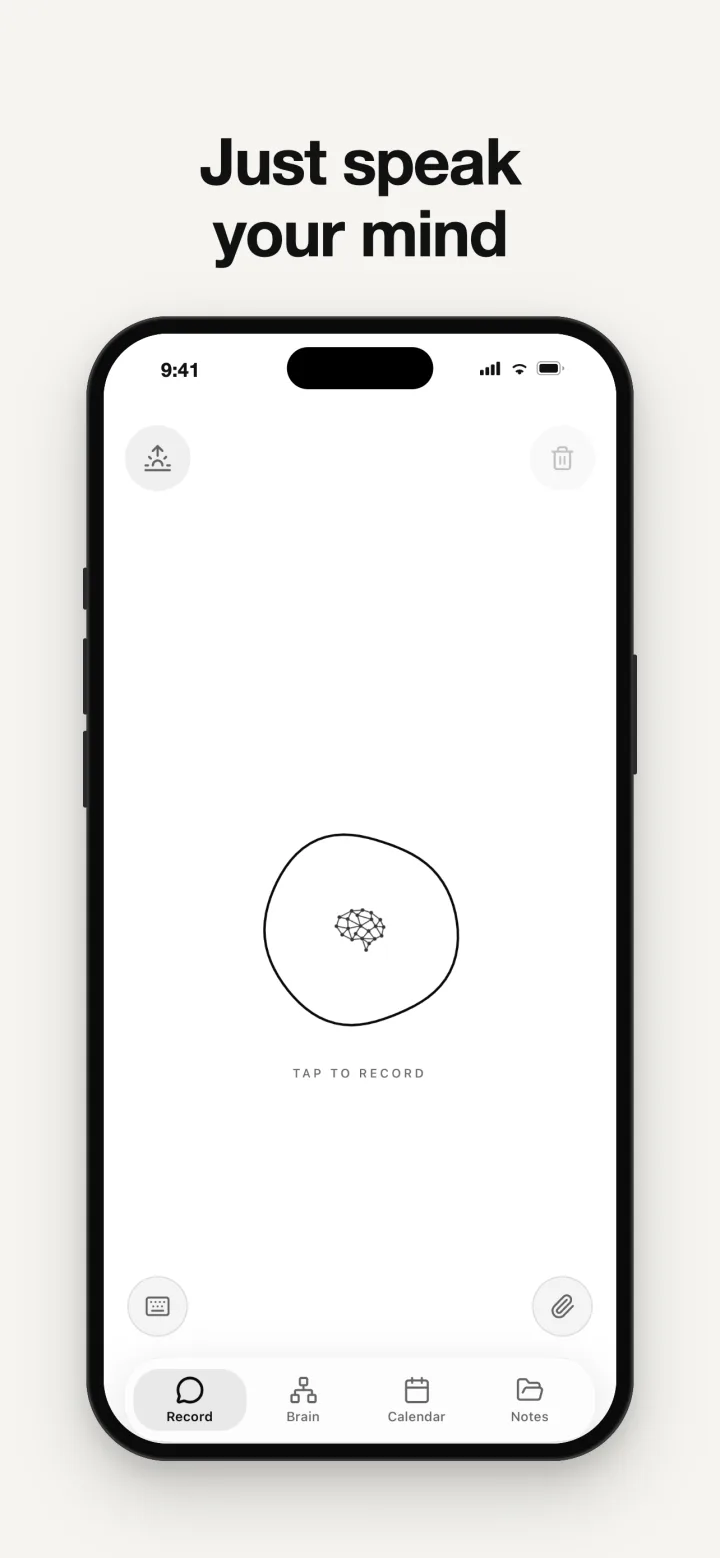
Just talk.
SecondBrain remembers.

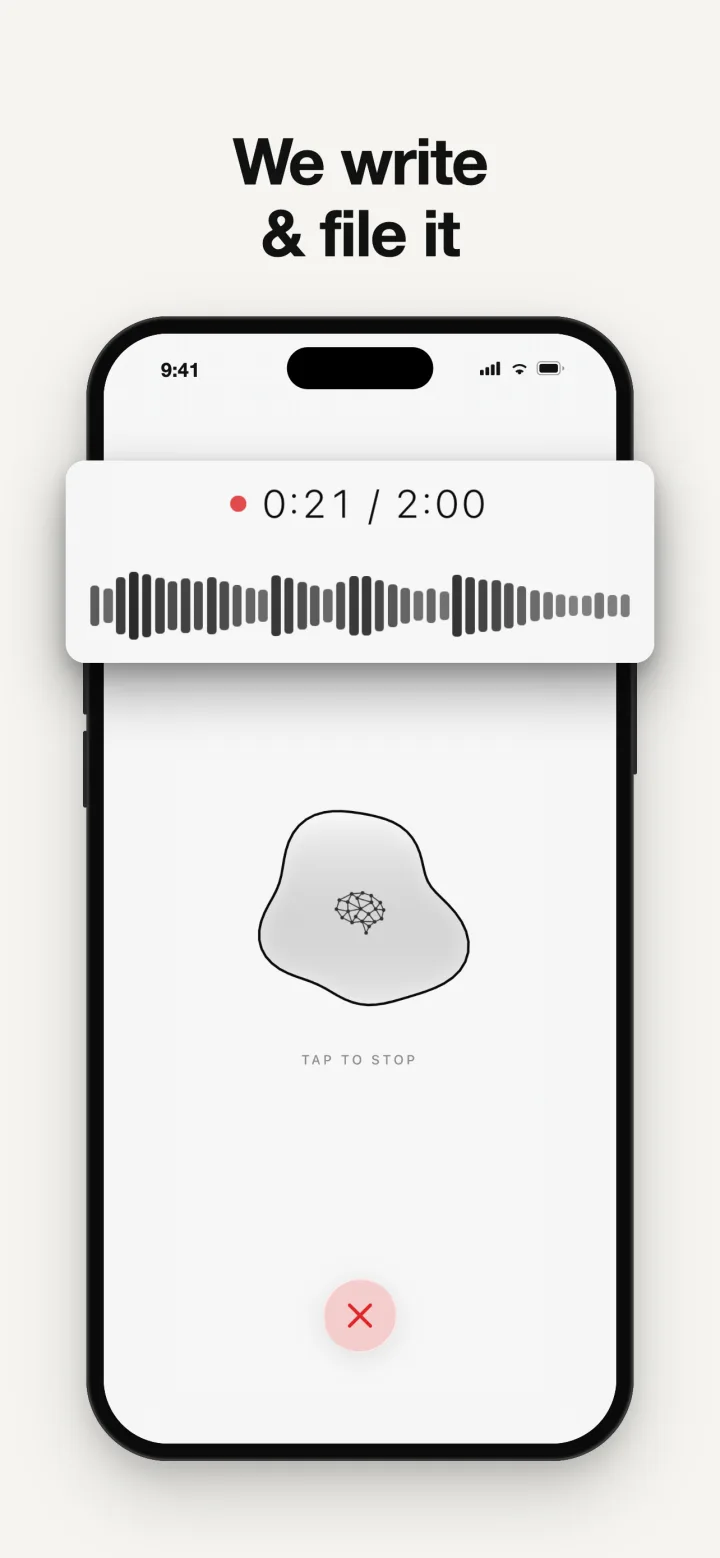
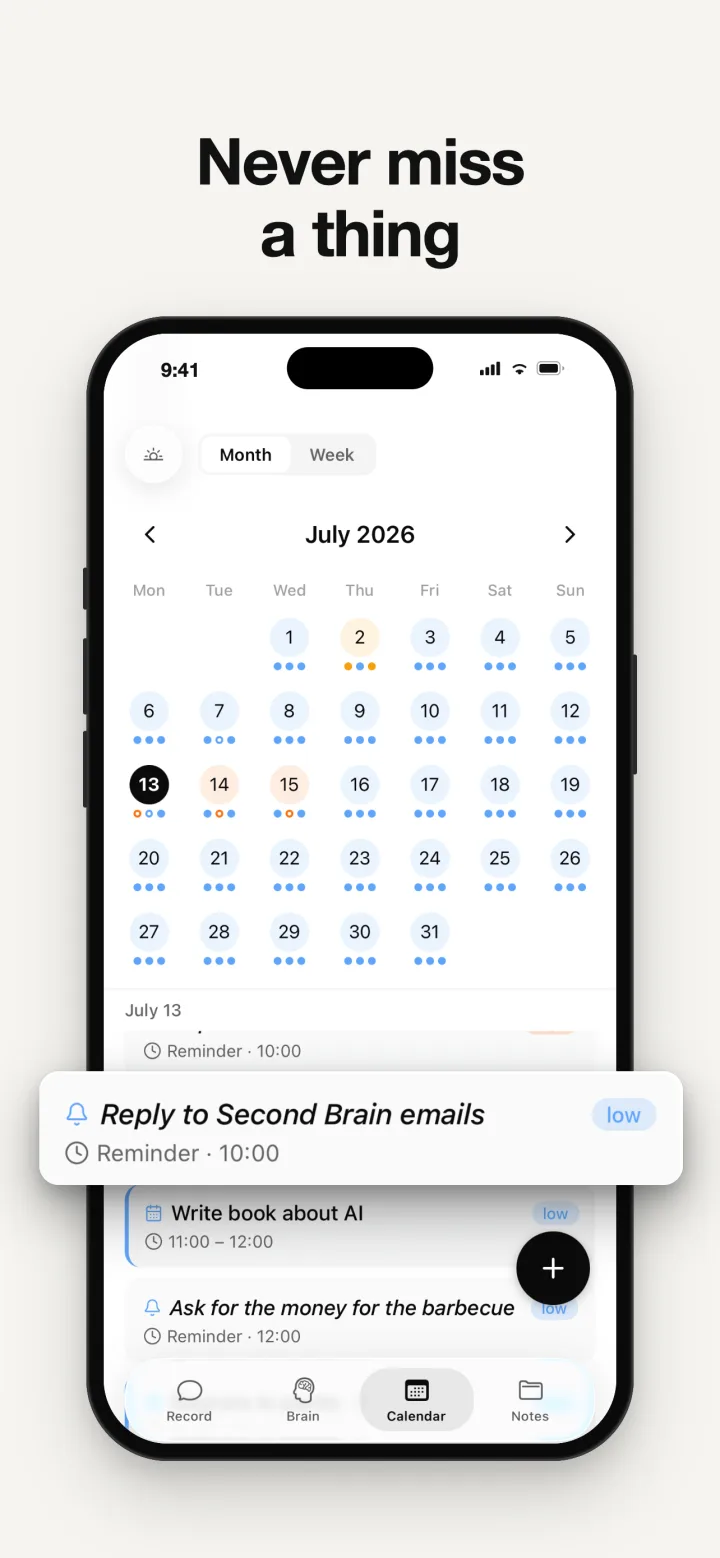
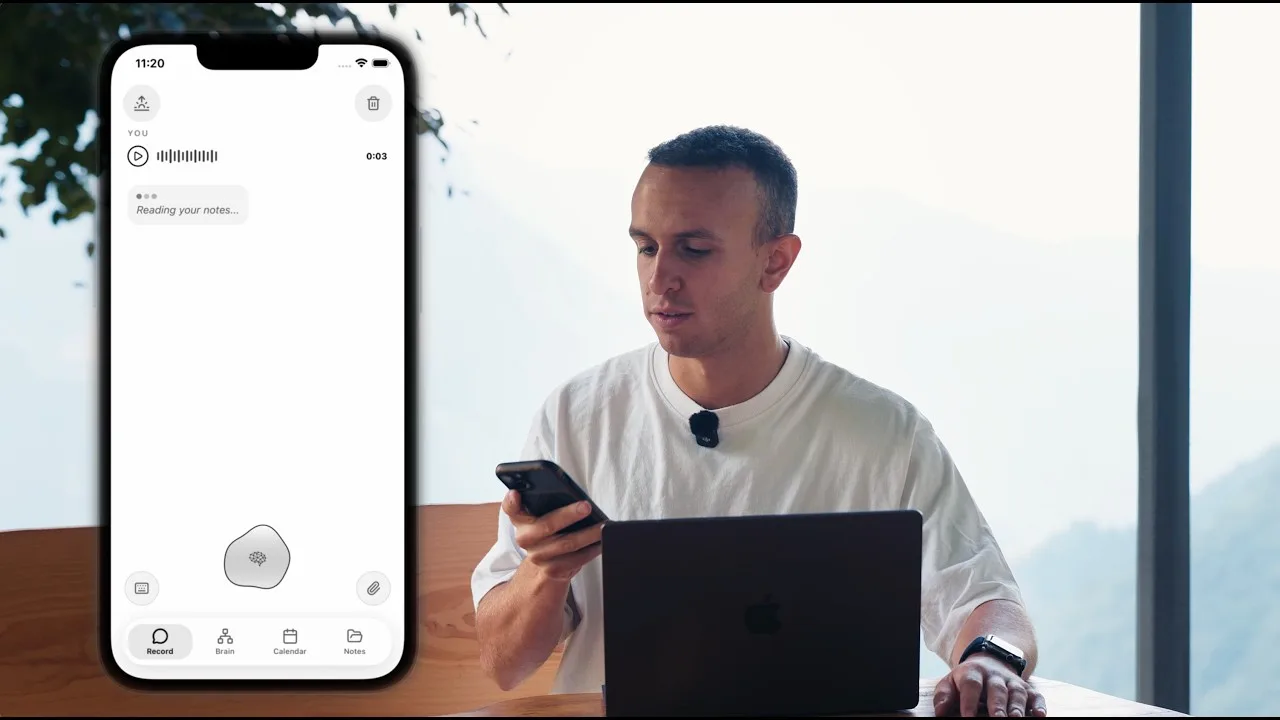
Speak, or send a photo or a PDF. It becomes notes, events and reminders. And every AI you use remembers. Parla, oppure mandagli una foto o un PDF: ne ricava note, eventi e promemoria. E ogni AI che usi se li ricorda.

Connect Claude and ChatGPT Collega Claude e ChatGPT

Your thoughts,
in your pocket.
I tuoi pensieri,
in tasca.

The app L'app

Take a look. Dai un'occhiata.

Photos and files Foto e file

Not just your voice. Non solo la tua voce.

Send it a photo, a screenshot or a PDF. It reads it and files it on its own. Mandagli una foto, uno screenshot o un PDF. Lo legge e lo archivia da solo.

Share it from another app Condividilo da un'altra app

From Photos, Files or Mail, share it to SecondBrain. Or tap the paperclip in the app and take the photo right there. Da Foto, File o Mail lo condividi con SecondBrain. Oppure tocchi la graffetta nell'app e scatti la foto lì.

It reads what's inside Legge cosa c'è dentro

Even the text in a photo, like a receipt, a whiteboard or a page of a book. Then it writes the note for you. Anche il testo dentro una foto: uno scontrino, una lavagna, la pagina di un libro. Poi scrive la nota al posto tuo.

It files it on its own Lo archivia da solo

It picks the right folder for you. Dates it finds can become events and reminders. Sceglie lui la cartella giusta. Le date che trova possono diventare eventi e promemoria.

Photos Foto Screenshots Screenshot PDF .txt .md .csv

On iPhone and Android. Up to 10 MB per file. Su iPhone e Android. Fino a 10 MB per file.

How it works. Come funziona.

Shared memory Memoria condivisa

One memory. Every AI. Una memoria. Tutte le AI.

Tell one assistant. They all remember. Lo dici a una, lo sanno tutte.

The problem Il problema

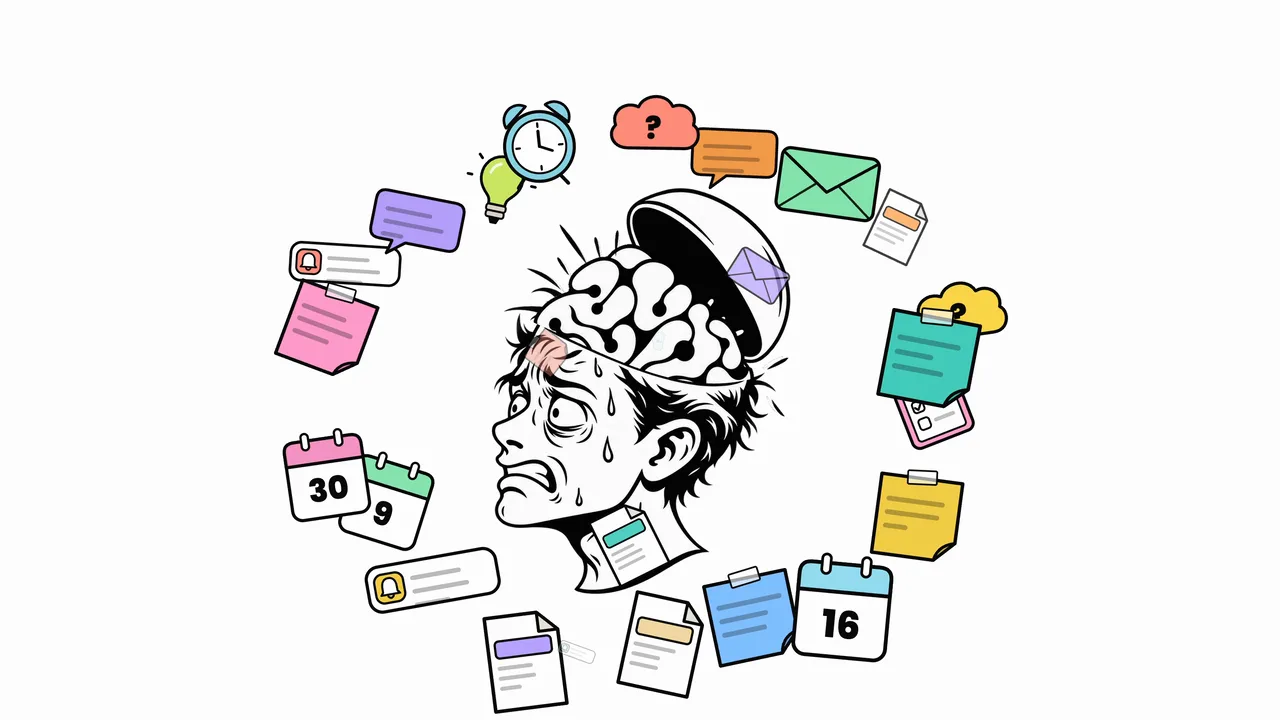
Every AI starts from zero. Ogni AI riparte da zero.

Every chat starts blank. SecondBrain gives your assistants one shared memory: yours. Ogni chat riparte da una pagina bianca. SecondBrain dà ai tuoi assistenti un'unica memoria condivisa: la tua.

Claude ChatGPT Gemini Claude Code
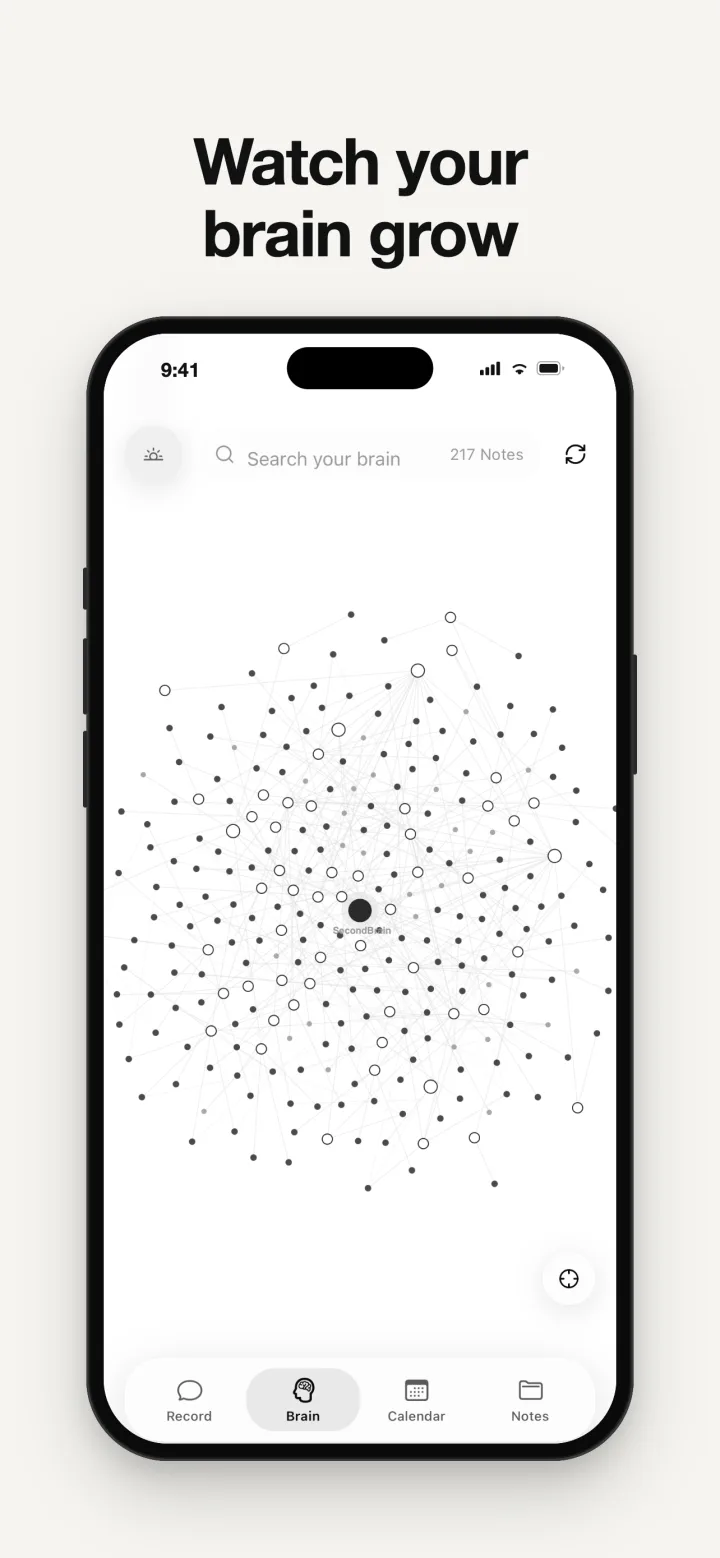
One shared brain: the SecondBrain knowledge map your AI assistants read and write
Claude

Deepest with Claude. Dà il meglio con Claude.

One plugin makes SecondBrain Claude's long-term memory. It saves, recalls and sets reminders on its own. Un plugin trasforma SecondBrain nella memoria a lungo termine di Claude: salva, ricorda e crea promemoria da solo.

Claude Native Claude plugin Plugin nativo per Claude
Your notes Le tue note

Yours to take. Portale via quando vuoi.

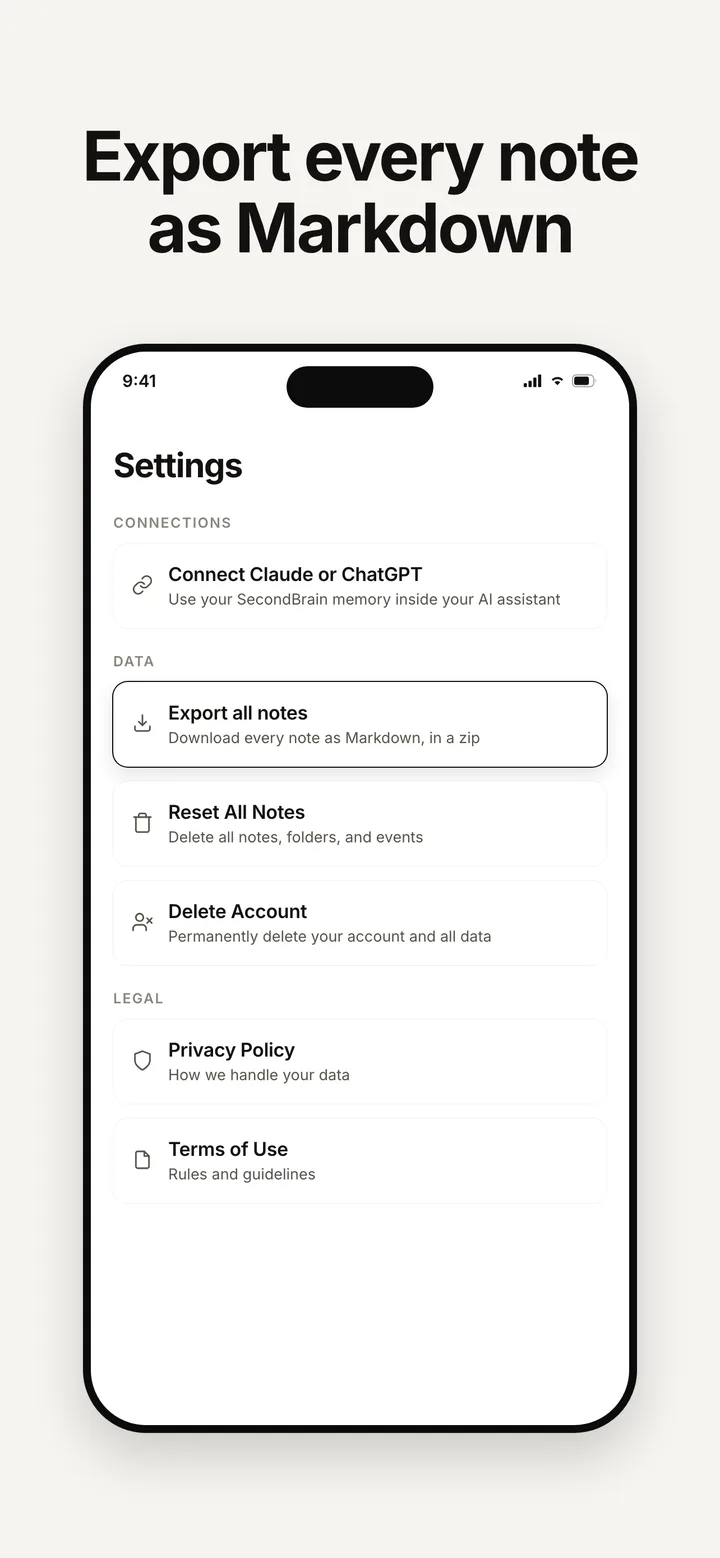
Export every note as Markdown, in one tap. Esporti tutte le note in Markdown, con un tocco.

Export Esportazione

One tap in Settings. Un tocco in Impostazioni.

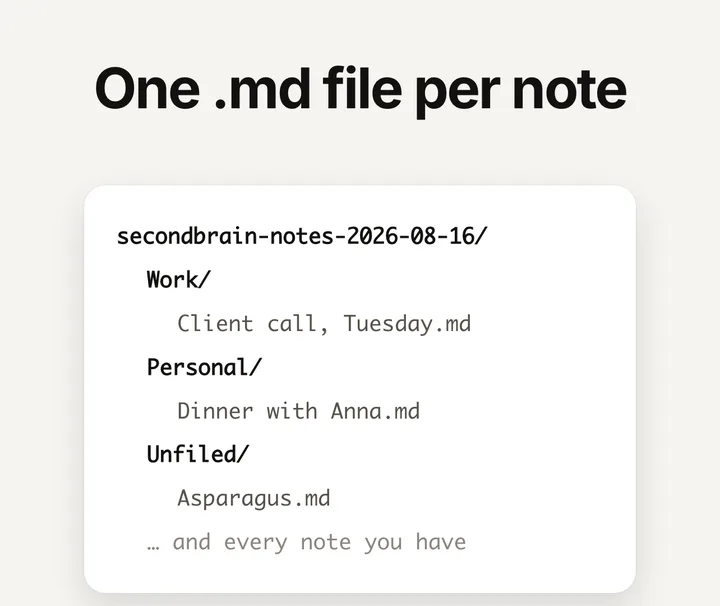
One tap in Settings and SecondBrain hands you a .zip of .md files, one per note. Plain Markdown, no proprietary format, nothing held back. Pro, on iPhone. Un tocco in Impostazioni e SecondBrain ti consegna uno zip di file .md, uno per nota. Markdown puro, nessun formato proprietario, non resta indietro niente. Pro, su iPhone.

.md .zip Obsidian Notion VS Code
Export all notes in SecondBrain Settings: download every note as Markdown, in a zip
Obsidian

Opens straight in Obsidian. Si aprono in Obsidian, e basta.

Your folders come out as folders, so you can unzip the archive into an Obsidian vault and it opens as it is. Notion, VS Code and TextEdit read the same files. No plugin, no importer. It is an export you run when you want it, not a live sync. Le tue cartelle escono come cartelle: scompatti l'archivio dentro un vault di Obsidian e si apre così com'è. Gli stessi file li leggono Notion, VS Code e TextEdit. Nessun plugin, nessun importatore. È un'esportazione che lanci tu quando vuoi, non una sincronizzazione continua.

The unzipped SecondBrain export: one .md file per note inside your own folder tree

You are not meant
to remember everything.
Non devi
ricordare tutto.

Connect your AI Collega la tua AI

Claude, in three steps. Claude, in tre passi.

No keys. No tokens. One login. Niente chiavi. Niente token. Un solo accesso.

  1. Open Claude's plugins Apri i plugin di Claude

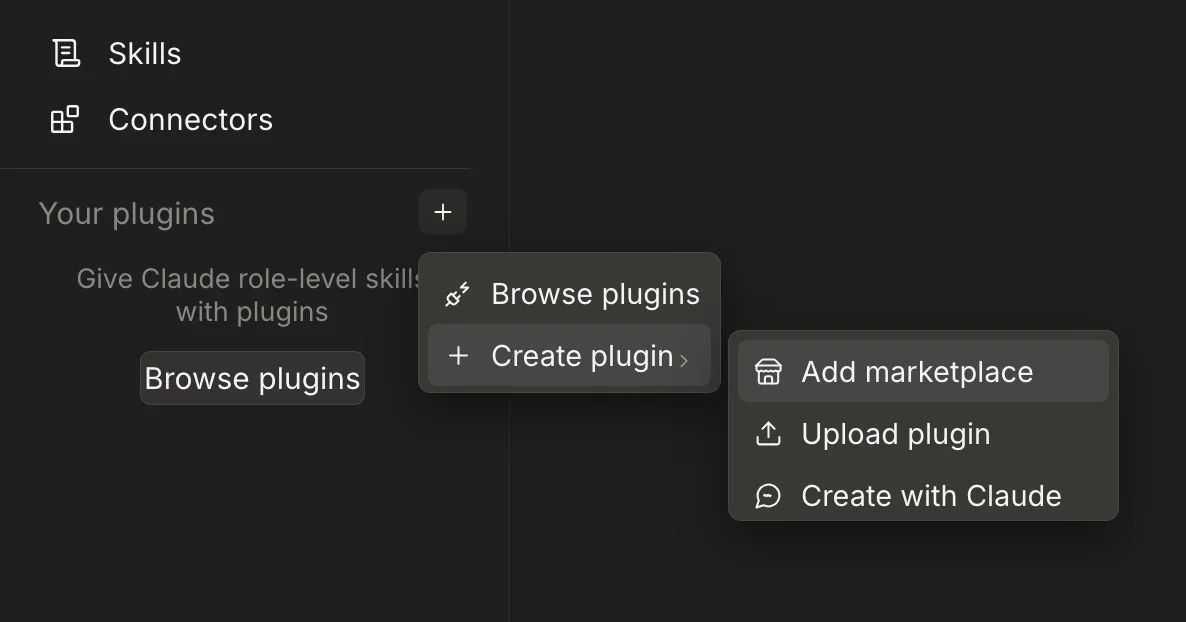
    Settings → Plugins → "+" → Add marketplace. Impostazioni → Plugin → "+" → Aggiungi marketplace.

  2. Paste the marketplace Incolla il marketplace

    fed3c3sa/secondbrain-shared-memory, then install the SecondBrain plugin. fed3c3sa/secondbrain-shared-memory, poi installa il plugin SecondBrain.

  3. Sign in Accedi

    Press Connect and log in with Apple or Google. Done. Premi Connect e accedi con Apple o Google. Fatto.

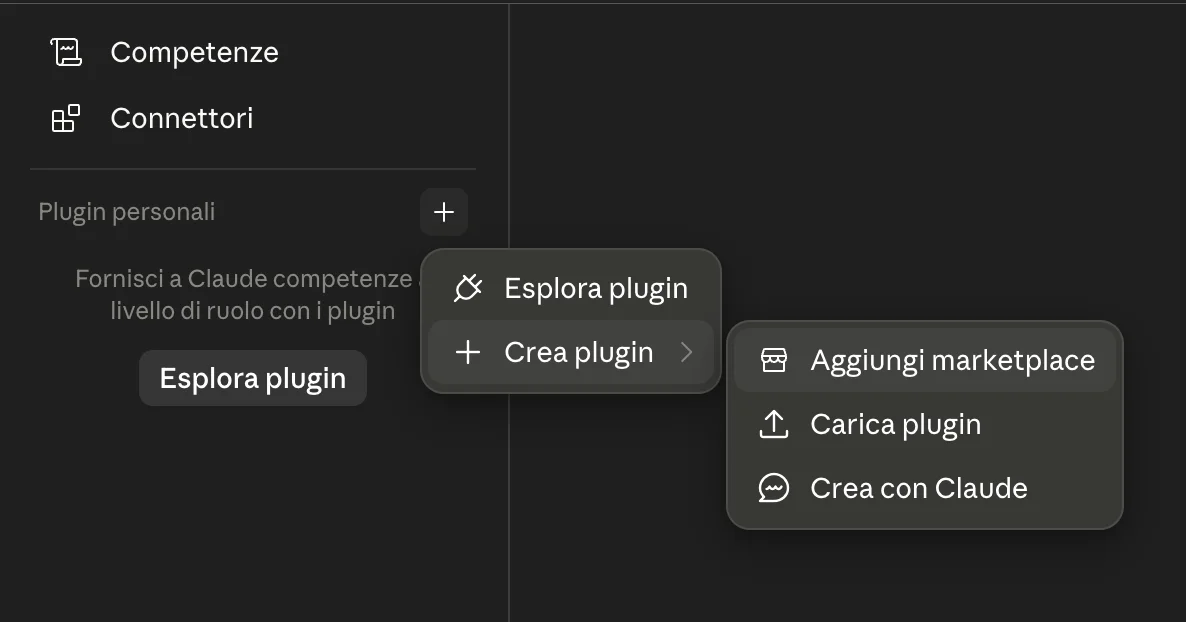
Claude plugins panel: the plus button opens Create plugin, then Add marketplace. Pannello plugin di Claude: il pulsante più apre Crea plugin, poi Aggiungi marketplace.
Claude · Settings → Plugins → + → Add marketplace Claude · Impostazioni → Plugin personali → + → Aggiungi marketplace
ChatGPT

ChatGPT, in three steps. ChatGPT, in tre passi.

  1. Turn on Developer mode Attiva la modalità sviluppatore

    On chatgpt.com: Settings → Security and login → Developer mode. Needs a Plus plan or above: it is not on Free or Go. Su chatgpt.com: Impostazioni → Sicurezza e accesso → Modalità sviluppatore. Serve un piano Plus o superiore: su Free e Go non c’è.

  2. Fill in the form Compila il form

    Go to Plugins, press "+". Name: SecondBrain. Connection: leave Server URL and paste https://mcp.secondbrainmemory.com/mcp. Authentication: OAuth. Tick "I understand and want to continue", then Create. Vai su Plugin, premi "+". Nome: SecondBrain. Connection: lascia Server URL e incolla https://mcp.secondbrainmemory.com/mcp. Authentication: OAuth. Spunta "I understand and want to continue", poi Create.

  3. Sign in Accedi

    Press Connect → log in with Apple or Google, the same account as the app. You should see 12 tools. Do this once on the web and the desktop app gets it too, because it belongs to your ChatGPT account. Premi Connect → accedi con Apple o Google, lo stesso account dell’app. Devi vedere 12 strumenti. Lo fai una volta sul web e vale anche per l’app desktop: è legato al tuo account ChatGPT.

Also works with Funziona anche con

Codex and ChatGPT Work, same marketplace. Codex e ChatGPT Work, stesso marketplace.

  1. Add the marketplace Aggiungi il marketplace

    Plugins → Add → Add marketplace, paste fed3c3sa/secondbrain-shared-memory, the same catalog Claude uses. Plugin → Aggiungi → Aggiungi marketplace, incolla fed3c3sa/secondbrain-shared-memory, lo stesso catalogo che usa Claude.

  2. Install SecondBrain Memory Installa SecondBrain Memory

    Pick it from the list and install. Selezionalo dalla lista e installa.

  3. Ask it to connect Digli di connettersi

    Type "connect to my SecondBrain". It opens your browser: Apple or Google, same account as the app. Nothing to paste. Scrivi "collegati al mio SecondBrain". Apre il browser: Apple o Google, lo stesso account dell’app. Niente da incollare.

Then Poi

How to use it. Come si usa.

  1. Call it by name, the first time Chiamalo per nome, la prima volta

    In a new chat it does not jump in on its own. Type @SecondBrain at the start of your message, or pick SecondBrain from the tools menu. After that it stays active for the rest of the chat. In una chat nuova non parte da solo. Scrivi @SecondBrain all’inizio del messaggio, oppure scegli SecondBrain dal menu strumenti. Dopo resta attivo per tutta la chat.

  2. To save something Per salvare qualcosa

    "Remember that I'm allergic to penicillin." or "Save this in my SecondBrain." It asks you to confirm before writing: that is normal, ChatGPT does it for every write. "Ricorda che sono allergico alla penicillina." oppure "Salva questo nel mio SecondBrain." Ti chiede conferma prima di scrivere: è normale, ChatGPT lo fa a ogni scrittura.

  3. To remember something Per farti ricordare qualcosa

    "What do you know about my project?", "What did I decide about the pricing?", "Remind me to call the dentist tomorrow at 10." Open a brand-new chat and ask again: if it still knows, you are set. "Cosa sai del mio progetto?", "Cosa avevo deciso sui prezzi?", "Ricordami di chiamare il dentista domani alle 10." Apri una chat nuova e richiedilo: se lo sa ancora, funziona.

Prefer the terminal? codex plugin marketplace add fed3c3sa/secondbrain-shared-memory, then codex plugin add secondbrain@secondbrain, then codex mcp login secondbrain. Check with codex mcp list: the secondbrain row must read Auth: OAuth. Preferisci il terminale? codex plugin marketplace add fed3c3sa/secondbrain-shared-memory, poi codex plugin add secondbrain@secondbrain, poi codex mcp login secondbrain. Controlla con codex mcp list: la riga secondbrain deve dire Auth: OAuth.

Claude Code: claude plugin marketplace add fed3c3sa/secondbrain-shared-memory, then claude plugin install secondbrain@secondbrain --scope user, then npx secondbrain-connect to sign in. Claude Code: claude plugin marketplace add fed3c3sa/secondbrain-shared-memory, poi claude plugin install secondbrain@secondbrain --scope user, poi npx secondbrain-connect per accedere.

Gemini or Cursor: run npx secondbrain-connect once. Gemini o Cursor: esegui npx secondbrain-connect una volta.

Codex: codex not found? The ChatGPT app ships it. On a Mac use /Applications/ChatGPT.app/Contents/Resources/codex mcp login secondbrain. Codex: codex non trovato? L'app ChatGPT lo include: su Mac usa /Applications/ChatGPT.app/Contents/Resources/codex mcp login secondbrain.

Check it worked with claude mcp get secondbrain. If Claude Code's own sign-in button shows Dynamic Client Registration rejected (HTTP 404), run npx secondbrain-connect and restart Claude Code. Controlla con claude mcp get secondbrain. Se l'accesso interno di Claude Code mostra Dynamic Client Registration rejected (HTTP 404), lancia npx secondbrain-connect e riavvia Claude Code.

Shared memory is a Pro feature. Turn it on in the app first. La memoria condivisa è una funzione Pro: attivala prima nell'app.

Full setup guide on GitHub Guida completa su GitHub

Private by design. Pensata per la tua privacy.

No analytics. No ads. No training. Niente analytics. Niente pubblicità. Nessun addestramento sui tuoi dati.

No tracking Nessun tracciamento

Zero analytics. Zero ads. Zero analytics. Zero pubblicità.

Encrypted Crittografata

Isolated per user. Yours only. Isolata per utente. Solo tua.

Delete anytime Cancelli quando vuoi

One tap. No copies kept. Un tocco. Nessuna copia.

And if you ever want to leave, you can export every note as Markdown first. Pro, on iPhone. E se un giorno vuoi andartene, prima puoi esportare tutte le note in Markdown. Pro, su iPhone.

FAQ

Questions, answered. Domande e risposte.

What is a second brain app? Che cos'è un'app second brain?

A second brain app is a tool that captures everything you want to remember and stores it so you can recall it instantly. SecondBrain does this with your voice: you speak, and it turns what you said into organized notes, calendar events and reminders, then keeps them ready across your devices and AI assistants.

Un'app second brain è uno strumento che cattura tutto ciò che vuoi ricordare e lo conserva così da poterlo richiamare in un istante. SecondBrain lo fa con la tua voce: parli, e trasforma ciò che hai detto in note organizzate, eventi in calendario e promemoria, poi li tiene pronti su tutti i tuoi dispositivi e su tutte le tue AI.

What is SecondBrain? Che cos'è SecondBrain?

SecondBrain is an AI second brain app for iPhone and Android. You speak once and it remembers: it writes structured notes, files them, and creates calendar events and follow-ups while you talk. It also gives your AI assistants a shared long-term memory, so what you tell one is known by them all.

SecondBrain è un'app second brain con AI per iPhone e Android. Parli una volta e lui ricorda: scrive note strutturate, le archivia e crea eventi in calendario e promemoria mentre parli. Dà inoltre ai tuoi assistenti AI una memoria condivisa a lungo termine, così ciò che dici a uno lo sanno tutti.

Can I send SecondBrain photos, PDFs or other files? Posso mandare a SecondBrain foto, PDF o altri file?

Yes. On iPhone and Android you can share a photo, a screenshot, a PDF or a text file (.txt, .md or .csv) to SecondBrain from another app, or attach one with the paperclip in the app, even straight from the camera. SecondBrain reads it, including the text inside images, writes it up as a note and files it in the right folder on its own. Dates it finds can become calendar events or reminders. Files can be up to 10 MB. Word and Excel files are not read directly, so save them as PDF first.

Sì. Su iPhone e Android puoi condividere con SecondBrain una foto, uno screenshot, un PDF o un file di testo (.txt, .md o .csv) da un'altra app, oppure allegarlo con la graffetta nell'app, anche scattando la foto al momento. SecondBrain lo legge, compreso il testo dentro le immagini, ne scrive una nota e la archivia da solo nella cartella giusta. Le date che trova possono diventare eventi in calendario o promemoria. Ogni file può arrivare a 10 MB. I file Word ed Excel non li legge direttamente: salvali prima in PDF.

Is SecondBrain free? SecondBrain è gratis?

Yes, with limits. The SecondBrain app is free to download and use on iPhone, Android and the web, and on the free plan you can capture, organize and recall your notes. A Pro subscription raises those limits and unlocks the shared memory layer that connects your AI assistants, like Claude and ChatGPT, to one private memory. You turn on Pro in the app.

Sì, con dei limiti. L'app SecondBrain è gratuita da scaricare e usare su iPhone, Android e sul web: con il piano gratuito catturi, organizzi e ritrovi le tue note. L'abbonamento Pro alza quei limiti e sblocca la memoria condivisa, quella che collega assistenti come Claude e ChatGPT a un'unica memoria privata. Pro si attiva direttamente nell'app.

How does SecondBrain share memory across ChatGPT, Claude and other AI assistants? Come condivide SecondBrain la memoria tra ChatGPT, Claude e gli altri assistenti AI?

SecondBrain connects to your assistants through the Model Context Protocol (MCP). Tell something to Claude, ChatGPT or Claude Code once and it lands in a single shared memory that is yours. Every assistant you connect can then recall it, on any device, without you repeating yourself.

SecondBrain si collega ai tuoi assistenti tramite il Model Context Protocol (MCP). Dici qualcosa a Claude, ChatGPT o Claude Code una volta e finisce in un'unica memoria condivisa, la tua. Ogni assistente che colleghi può poi richiamarla, su qualsiasi dispositivo, senza che tu lo ripeta.

How do I connect SecondBrain to Claude or ChatGPT? Come collego SecondBrain a Claude o ChatGPT?

In Claude, add the marketplace fed3c3sa/secondbrain-shared-memory, install the SecondBrain plugin, then press Connect and sign in with Apple or Google. No keys or tokens. Codex and ChatGPT Work use the same marketplace: Plugins, then Add, then Add marketplace, paste fed3c3sa/secondbrain-shared-memory, install SecondBrain Memory, then ask it to connect. The plain ChatGPT chat reads connectors rather than installed plugins, so on Plus and above you add it by hand under Settings → Security and login → Developer mode. That covers the web and the desktop app. Codex is separate and uses the same marketplace as Claude: codex plugin marketplace add fed3c3sa/secondbrain-shared-memory, then codex plugin add secondbrain@secondbrain, then codex mcp login secondbrain. For Gemini or Cursor, run npx secondbrain-connect once and sign in in the browser.

In Claude aggiungi il marketplace fed3c3sa/secondbrain-shared-memory, installa il plugin SecondBrain, poi premi Connect e accedi con Apple o Google. Niente chiavi, niente token. Codex e ChatGPT Work usano lo stesso marketplace: Plugin → Aggiungi → Aggiungi marketplace, incolla fed3c3sa/secondbrain-shared-memory, installa SecondBrain Memory, poi digli di connettersi. La chat normale di ChatGPT legge i connettori e non i plugin installati, quindi da Plus in su si aggiunge a mano in Impostazioni → Sicurezza e accesso → Modalità sviluppatore. Vale sia per il web sia per l'app desktop. Codex è separato e usa lo stesso marketplace di Claude: codex plugin marketplace add fed3c3sa/secondbrain-shared-memory, poi codex plugin add secondbrain@secondbrain, poi codex mcp login secondbrain. Per Gemini o Cursor basta eseguire npx secondbrain-connect una volta e accedere dal browser.

Which devices does SecondBrain work on? Su quali dispositivi funziona SecondBrain?

SecondBrain runs on iPhone and Android. The shared memory also works with desktop AI tools such as Claude, Claude Code, ChatGPT, Gemini and Cursor, so a memory you create on your phone is available wherever you use AI.

SecondBrain funziona su iPhone e Android. La memoria condivisa funziona anche al computer, con Claude, Claude Code, ChatGPT, Gemini e Cursor: quello che salvi dal telefono lo ritrovi ovunque usi l'AI.

Is my data private? I miei dati sono privati?

Yes. SecondBrain has no analytics, no ads and never trains on your data. Your memory is encrypted and isolated per user, so it is yours alone. You can delete everything at any time with one tap, and no copies are kept.

Sì. SecondBrain non usa analytics né pubblicità e non addestra mai l'AI sui tuoi dati. La tua memoria è crittografata e isolata per ogni utente, quindi è solo tua. E puoi cancellare tutto quando vuoi, con un tocco: non resta nessuna copia.

How is SecondBrain different from a notes app like Notion or Obsidian? In cosa è diverso SecondBrain da un'app di note come Notion o Obsidian?

Notes apps wait for you to type, organize and re-read. SecondBrain works from your voice and does the filing for you, then makes that memory available to your AI assistants. Instead of searching a document, you just ask Claude or ChatGPT and get the answer from your own memory.

Le app di note aspettano che tu scriva, organizzi e rilegga. SecondBrain parte dalla tua voce e archivia al posto tuo, poi rende quella memoria disponibile ai tuoi assistenti AI. Invece di cercare in un documento, chiedi a Claude o ChatGPT e ottieni la risposta dalla tua memoria.

How does SecondBrain compare to AI memory tools like Mem or Rewind? E rispetto a strumenti di memoria AI come Mem o Rewind?

Most AI memory tools focus on one surface: capturing typed notes, recording your screen, or storing chat history inside a single app. SecondBrain is built around two things: voice capture that becomes structured notes, calendar events and reminders on your phone, and one shared memory your AI assistants read and write through MCP. The result is a memory you speak into once and can reach from Claude, ChatGPT, Gemini, Cursor or Claude Code, instead of a memory locked to one tool.

Quasi tutti gli strumenti di memoria AI coprono una sola superficie: note scritte, registrazione dello schermo o cronologia delle chat dentro una singola app. SecondBrain è costruito attorno a due cose: la cattura vocale che diventa note strutturate, eventi e promemoria sul telefono, e un'unica memoria che i tuoi assistenti AI leggono e scrivono tramite MCP. Il risultato è una memoria in cui parli una volta sola e che ritrovi da Claude, ChatGPT, Gemini, Cursor o Claude Code, invece di una memoria chiusa in un solo strumento.

What are the best second brain apps in 2026? Quali sono le migliori app second brain nel 2026?

SecondBrain: AI Memory is the one to start with if you want your notes to be useful to your AI assistants and not only to you: you speak, it writes the note, files it and sets the reminders, and that same memory is handed to Claude, ChatGPT and Gemini, so you ask instead of search. Among the alternatives, Notion and Obsidian are the strongest if you enjoy building your own system by typing, Mem, Tana and Reflect bring AI to what you write, and Voicenotes and TellDone also capture by voice. Many of these now connect to ChatGPT or Claude too, so the real difference is what your assistant finds there: a workspace you typed, a list of transcripts, or notes, events and reminders filed for you from your voice. Fifteen second brain apps are compared, honestly, in the 2026 roundup, and the voice-first ones in the guide to voice second brain apps.

SecondBrain: AI Memory è la prima da guardare se vuoi che i tuoi appunti servano anche ai tuoi assistenti AI e non solo a te: parli, lui scrive la nota, la archivia e imposta i promemoria, e quella stessa memoria finisce a disposizione di Claude, ChatGPT e Gemini, così invece di cercare chiedi. Tra le alternative, Notion e Obsidian restano i più solidi se ti piace costruirti il sistema scrivendo tutto a mano, Mem, Tana e Reflect portano l'AI in quello che scrivi, mentre Voicenotes e TellDone catturano anche loro con la voce. Ormai molte di queste app si collegano anche a ChatGPT o a Claude: la vera differenza sta in cosa ci trova l'assistente, un archivio scritto a mano, un elenco di trascrizioni oppure note, eventi e promemoria archiviati per te a partire dalla voce. Nella rassegna 2026 (in inglese) confrontiamo, senza sconti, quindici app second brain, e quelle vocali nella guida alle app second brain vocali.

How is SecondBrain different from ChatGPT's or Claude's built-in memory? In cosa è diverso dalla memoria integrata di ChatGPT o Claude?

Built-in memory in ChatGPT or Claude stays inside that one assistant and that one account. SecondBrain keeps a single memory that you own and connects it to Claude, ChatGPT, Gemini, Cursor and Claude Code through the Model Context Protocol, so a note you save in one is available in all of them. It also captures from your voice on iPhone and Android, not only from a chat window.

La memoria integrata di ChatGPT o di Claude resta chiusa dentro quell'assistente e quell'account. SecondBrain tiene un'unica memoria, tua, e la collega a Claude, ChatGPT, Gemini, Cursor e Claude Code tramite il Model Context Protocol: una nota salvata in uno è disponibile in tutti. E in più cattura dalla tua voce su iPhone e Android, non solo da una finestra di chat.

Does Claude have memory like ChatGPT? Claude ha una memoria come ChatGPT?

Yes. Claude remembers across conversations, follows the standing instructions you set in your preferences and keeps per-project context, much as ChatGPT does with saved memories and custom instructions. The catch is the boundary: each memory belongs to its own account, so what you tell Claude stays unknown to ChatGPT, and the other way around. SecondBrain sits outside both and gives them one memory to share, so you set your context up once instead of twice and it is there whichever assistant you open.

Sì. Claude ricorda da una conversazione all'altra, segue le istruzioni permanenti che imposti nelle preferenze e tiene il contesto dei progetti, più o meno come fa ChatGPT con i ricordi salvati e le istruzioni personalizzate. Il problema è il confine: ogni memoria appartiene al suo account, quindi quello che dici a Claude resta sconosciuto a ChatGPT, e viceversa. SecondBrain sta fuori da entrambi e dà loro un'unica memoria da condividere: prepari il tuo contesto una volta invece di due e lo ritrovi in qualunque assistente apri.

How do I transfer my ChatGPT memory to Claude? Come trasferisco la memoria di ChatGPT su Claude?

Claude can import it once: since March 2026 it has a built-in memory import. Run the export prompt in ChatGPT, then paste the result in Claude under Settings, Your Claude, Start import. That copy does not stay current, so to keep both in sync connect SecondBrain to ChatGPT and Claude: from then on they read and write one memory, and neither falls behind. Step by step in the guide to importing ChatGPT memory into Claude.

Claude la può importare una volta: da marzo 2026 ha un'importazione della memoria integrata. Esegui in ChatGPT il prompt di esportazione e incolla il risultato in Claude, nelle impostazioni della memoria. Quella copia però non si aggiorna: per tenerli allineati collega SecondBrain a ChatGPT e a Claude, che da quel momento leggono e scrivono un'unica memoria. Il passo passo è nella guida per importare la memoria di ChatGPT in Claude.

How does the Model Context Protocol (MCP) connection work? Come funziona il collegamento tramite Model Context Protocol (MCP)?

The Model Context Protocol (MCP) is an open standard that lets AI assistants call external tools and data sources. SecondBrain runs an MCP server that your assistant connects to after you sign in with Apple or Google, with no API keys to copy. Once connected, the assistant can save to and recall from your SecondBrain memory during a chat, and that same memory is shared across every assistant you connect.

Il Model Context Protocol (MCP) è uno standard aperto che permette agli assistenti AI di usare strumenti e fonti di dati esterni. SecondBrain espone un server MCP a cui il tuo assistente si collega dopo l'accesso con Apple o Google, senza chiavi API da copiare. Una volta collegato, l'assistente può salvare e richiamare la tua memoria SecondBrain durante la chat, e quella stessa memoria è condivisa con ogni assistente che colleghi.

Is SecondBrain related to Tiago Forte's Building a Second Brain method? SecondBrain c'entra con il metodo Building a Second Brain di Tiago Forte?

The term second brain was popularized by Tiago Forte's book Building a Second Brain, which teaches a manual method for capturing and organizing notes. SecondBrain shares the same goal of a trusted external memory, but it works from your voice and files notes, events and reminders automatically, then makes that memory available to your AI assistants. It is an independent app and is not affiliated with Tiago Forte or his course.

Il termine second brain è diventato famoso con il libro Building a Second Brain di Tiago Forte, che insegna un metodo manuale per catturare e organizzare le note. SecondBrain condivide lo stesso obiettivo, una memoria esterna di cui fidarti, ma parte dalla tua voce e archivia note, eventi e promemoria da solo, poi rende quella memoria disponibile ai tuoi assistenti AI. È un'app indipendente, non affiliata a Tiago Forte né al suo corso.

Where is my data stored? Dove sono salvati i miei dati?

SecondBrain stores your notes, folders and calendar events in a Supabase PostgreSQL database hosted in the European Union, isolated per account with Row-Level Security so you can only reach your own data. Voice and text are processed in real time by Google Gemini on its paid API tier, which does not train on your content. Everything travels over HTTPS, and you can delete your account and all its data at any time from the app.

SecondBrain salva note, cartelle ed eventi di calendario in un database PostgreSQL su Supabase, ospitato nell'Unione Europea e isolato per account tramite Row-Level Security: puoi accedere solo ai tuoi dati. Voce e testo vengono elaborati in tempo reale da Google Gemini (API a pagamento), che non addestra i modelli sui tuoi contenuti. Tutto viaggia su HTTPS e puoi eliminare l'account con tutti i dati quando vuoi, direttamente dall'app.

Can I export my data or take it with me? Posso esportare i miei dati o portarli via?

Yes. On iPhone, SecondBrain Pro exports every note as Markdown from Settings, as a .zip holding one .md file per note in your own folder tree. For anything beyond notes, or on another platform, you can request a full export of your data by emailing [email protected]. You can also delete your entire account and all associated data from the app under Settings, then Delete Account: removal is immediate on the live database, and encrypted backups are erased within days.

Sì. Su iPhone, con SecondBrain Pro esporti tutte le note in Markdown da Impostazioni: ottieni uno zip con un file .md per nota, dentro le tue stesse cartelle. Per il resto dei dati, o da un'altra piattaforma, puoi chiedere un'esportazione completa scrivendo a [email protected]. Puoi anche eliminare l'intero account con tutti i dati dall'app, da Impostazioni e poi Elimina account: la rimozione è immediata sul database in produzione e i backup cifrati vengono eliminati entro pochi giorni.

How do I export my notes from SecondBrain? Come esporto le mie note da SecondBrain?

Open Settings in SecondBrain on your iPhone, tap Export all notes, and choose where to save the file. SecondBrain builds a .zip containing one Markdown (.md) file per note, arranged in the same folder tree you see in the app, and hands it to the iOS share sheet so you can save it to Files, iCloud Drive or anywhere else. Export is a Pro feature. It has no practical size limit: it was tested end to end on an account with 1,203 notes.

Apri Impostazioni in SecondBrain sul tuo iPhone, tocca Esporta tutte le note e scegli dove salvare il file. SecondBrain prepara uno zip con un file Markdown (.md) per ogni nota, dentro lo stesso albero di cartelle che vedi nell'app, e lo passa al menu di condivisione di iOS, così lo salvi su File, su iCloud Drive o dove preferisci. L'esportazione è una funzione Pro e non ha limiti pratici di dimensione: è stata provata da capo a fondo su un account con 1.203 note.

Does SecondBrain export to Obsidian? SecondBrain esporta in Obsidian?

Yes. SecondBrain exports plain Markdown, which is Obsidian's own format, so you unzip the archive into your Obsidian vault and the notes open straight away, with no plugin and no importer. Your SecondBrain folders come out as real folders, so the structure survives the move intact. One thing to be clear about: this is an export you run when you want it, not a continuous sync with your vault. Export is a Pro feature on iPhone.

Sì. SecondBrain esporta Markdown puro, che è il formato nativo di Obsidian: scompatti l'archivio dentro il tuo vault e le note si aprono subito, senza plugin e senza importatori. Le cartelle di SecondBrain escono come cartelle vere, quindi la struttura arriva intatta. Una precisazione: è un'esportazione che lanci tu quando vuoi, non una sincronizzazione continua col vault. L'esportazione è una funzione Pro su iPhone.

How do I import my SecondBrain notes into Obsidian, Notion or VS Code? Come importo le note di SecondBrain in Obsidian, Notion o VS Code?

Export the archive from SecondBrain, unzip it, then point the other app at the folder. In Obsidian, move the unzipped folder into your vault, or open it as a vault of its own. In Notion, choose Import and pick Markdown. In VS Code, just open the folder. Every file is a standard .md file, so nothing has to be converted on the way in.

Esporta l'archivio da SecondBrain, scompattalo e poi punta l'altra app su quella cartella. In Obsidian sposti la cartella dentro il tuo vault, oppure la apri direttamente come vault. In Notion scegli Importa e selezioni Markdown. In VS Code ti basta aprire la cartella. Ogni file è un normale .md, quindi non c'è niente da convertire.

What format does the SecondBrain Markdown export use? Che formato usa l'esportazione Markdown di SecondBrain?

The SecondBrain export is a .zip of Markdown files, named after the day you exported, for example secondbrain-notes-2026-08-16.zip. Inside, each note is a single .md file whose title is written as a level-one heading, with no YAML front matter to strip out. Folders are recreated as directories, and any note that is not filed lands in a folder called Unfiled.

L'esportazione di SecondBrain è uno zip di file Markdown, con il nome del giorno in cui l'hai fatta, per esempio secondbrain-notes-2026-08-16.zip. Dentro, ogni nota è un singolo file .md con il titolo scritto come intestazione di primo livello, senza front matter YAML da ripulire. Le cartelle vengono ricreate come directory e le note senza cartella finiscono in una chiamata Unfiled.

Am I locked in to SecondBrain, or can I leave with my notes? Con SecondBrain resto incastrato o posso andarmene con le mie note?

You can leave with everything. SecondBrain keeps your notes in plain Markdown on the way out, so one tap in Settings gives you every note as .md files that open in Obsidian, Notion, VS Code or any text editor, with your folder structure intact. Nothing is trapped in a format that only SecondBrain can read. The export is a Pro feature on iPhone.

Puoi andartene con tutto. In uscita SecondBrain ti dà le note in Markdown puro: un tocco in Impostazioni e hai ogni nota come file .md, che si aprono in Obsidian, Notion, VS Code o in qualsiasi editor di testo, con la tua struttura di cartelle intatta. Niente resta chiuso in un formato che solo SecondBrain sa leggere. L'esportazione è una funzione Pro su iPhone.

Which AI voice notes app exports to Markdown? Quale app di note vocali con AI esporta in Markdown?

SecondBrain is an AI voice notes app that exports to Markdown. You speak, SecondBrain writes the note up and files it into the right folder on its own, and whenever you want the whole library back you export it as .md files in a .zip from Settings on iPhone. That pairing, voice capture going in and Markdown coming out, is why people run it alongside an Obsidian vault rather than instead of one.

SecondBrain è un'app di note vocali con AI che esporta in Markdown. Tu parli, lui scrive la nota e la archivia da solo nella cartella giusta, e quando vuoi indietro tutta la libreria la esporti come file .md dentro uno zip, da Impostazioni su iPhone. È proprio questa combinazione, voce in ingresso e Markdown in uscita, il motivo per cui in tanti lo usano insieme a un vault di Obsidian invece che al posto suo.

Watch Guarda

See it for yourself. Vedilo con i tuoi occhi.

Subscribe on YouTube Iscriviti al canale YouTube

Start remembering. Inizia a ricordare.

On iPhone, Android and the web. Su iPhone, Android e sul web.