SecondBrain · Blog · Voice memos to organized notes
How to turn voice memos into organized notes on iPhone and Android
A transcript is not a note
Recording a thought is the fastest way to catch it: in a Stanford study, dictating short messages on a phone was about three times faster than typing them. The trouble starts afterwards. Here is a typical memo, recorded on a walk:
"Okay, so the plumber can come Thursday at nine, I have to tell Marco. Also an idea for the newsletter, a monthly roundup of reader questions. And I need to get Mom's birthday present before the twentieth, something for the garden."
Most recent phones can turn that into text. But the text is still one block mixing three things: an appointment, an idea and an errand. To be useful it has to become something like this:
- Plumber visit, filed with your home notes, as a calendar event on Thursday at 9:00, plus a reminder to tell Marco.
- Newsletter idea: monthly reader questions, filed with your work ideas.
- Mom's birthday present, something for the garden, as a reminder before the 20th.
That step, from transcript to filed note with real reminders, is the one most people skip, and it is why folders full of voice memos rarely get listened to again.
What your phone already does for free
iPhone: Voice Memos and Notes
Since iOS 18, on iPhone 12 or later, Voice Memos transcribes recordings, live or afterwards, in ten languages including English, Spanish, French, German and Italian. You can search the transcript, tap a word to jump to that moment, and copy the whole text. Older recordings get transcribed when you open them. Voice Memos has no summary button of its own; Apple's way is Writing Tools, which summarize a transcript with a tap on an iPhone 15 Pro or later.
The Notes app goes a step further: you can record audio inside a note, watch the transcript appear, and on Apple Intelligence iPhones get a summary. Call recordings land in Notes too, though call recording is not available in the EU. In both apps the filing is still yours to do, and reminders come from sharing the text to the Reminders app, where on iOS 26 Apple Intelligence can suggest them.
Android: Google Recorder and Samsung Voice Recorder
Google's Recorder transcribes as you speak, but only on Pixel phones. On Pixel 8 and later it also summarizes recordings between five minutes and an hour long, in seven languages, and you can send the transcript to Google Docs or save it as a text file.
On recent Galaxy phones, Samsung's Voice Recorder has Transcript Assist, which transcribes, translates and summarizes, and suggests actions such as calendar events and reminders that you can confirm. It needs a network connection and a Samsung account, and works on recordings under three hours. It is the closest any built-in app gets to organizing for you.
Uploading a memo to an AI assistant
You can also hand a recording to an assistant. ChatGPT accepts audio uploads on paid plans since October 2026 and will transcribe and summarize them, and the Gemini app takes up to ten minutes of audio on its free tier. Both are good for one-off recordings, but neither turns the result into a filed note with its reminders.
The options compared
| Option | Where it runs | Transcript | Summary | Dates become reminders | Files the note |
|---|---|---|---|---|---|
| Voice Memos | iPhone 12 or later | Yes | With Writing Tools, newer iPhones | Share to Reminders | No |
| Apple Notes | iPhone 12 or later | Yes, live | Apple Intelligence iPhones | Share to Reminders | You file it |
| Google Recorder | Pixel phones | Yes, live | Pixel 8 and later | No | No |
| Samsung Voice Recorder | Recent Galaxy phones | Yes | Yes | Suggests them | You can add it to Samsung Notes |
| Otter.ai | iPhone, Android, web | Yes | Yes | No | Searchable, not filed |
| Voicenotes | iPhone, Android, web, desktop | Yes | Yes | No | Auto-tagged, searchable |
| SecondBrain | iPhone, Android, web | Writes a note instead | Built into the note | Yes, the ones you mention | Yes, automatically |
Otter is built for meetings: its free plan limits each conversation to 30 minutes and allows three imported files in total, which matters if you want to convert old memos. Voicenotes records memos and meetings, adds summaries and automatic tags, and has an Ask AI search across everything you have said. For a wider look at voice-first apps, see the voice-first comparison.
How to speak a voice memo that files itself
Whatever tool you use, the way you talk decides how good the result is. Six habits make the difference:
- Lead with the topic. "About the kitchen renovation: ..." gives the transcript a title and the app a folder.
- Say dates and times plainly. "Thursday at nine in the morning" becomes an event; "in a couple of days" becomes nothing.
- Say the action out loud. "Remind me to...", "put in my calendar...", "idea:". These words are what turn a sentence into a reminder.
- Use full names the first time. "Marco from the bank" is findable later; "him" is not.
- Signal a new topic. A pause and "next thing" helps any transcript, and an organizing app splits the topics more cleanly.
- Repeat numbers and unusual names. Transcription is very good now, but names, figures and negations are where it still slips.
A two-minute workflow with SecondBrain
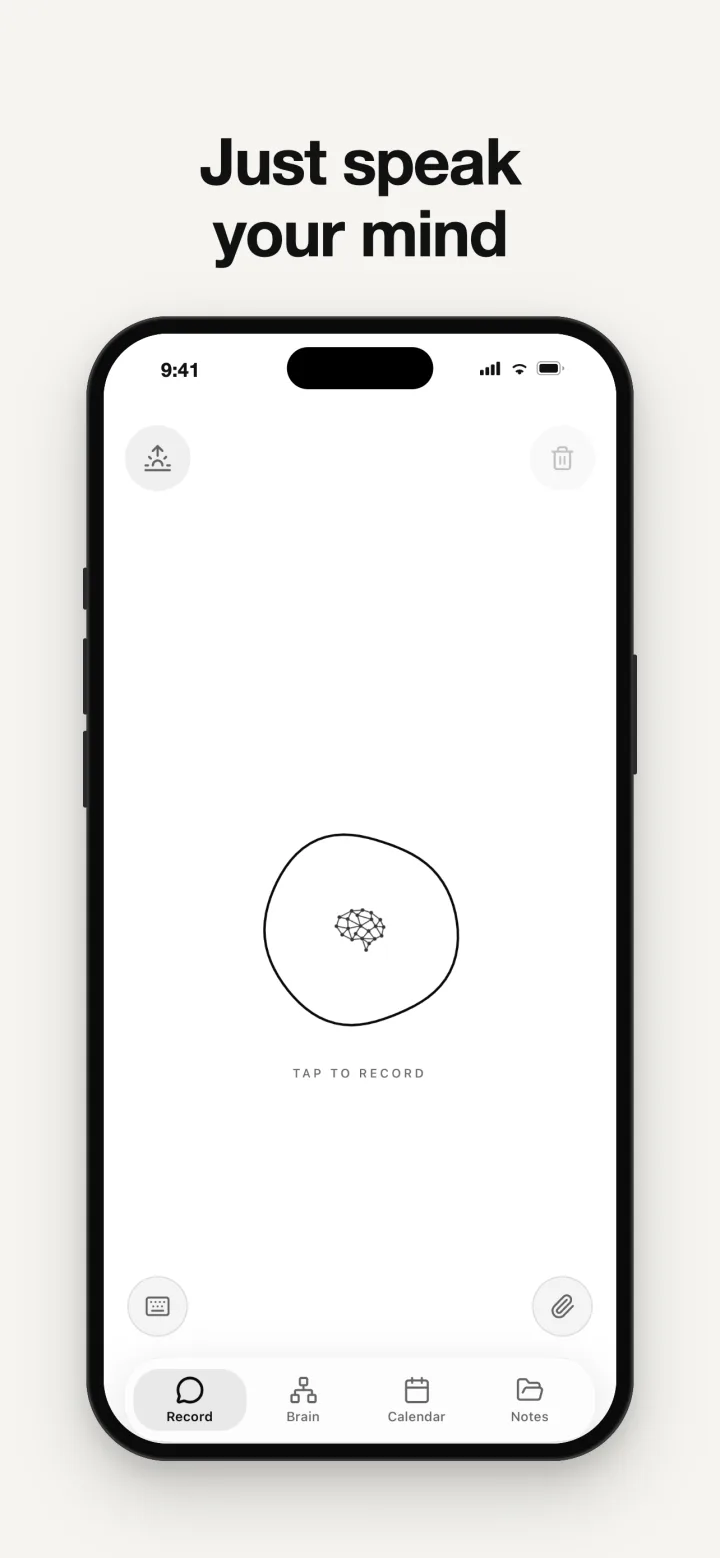
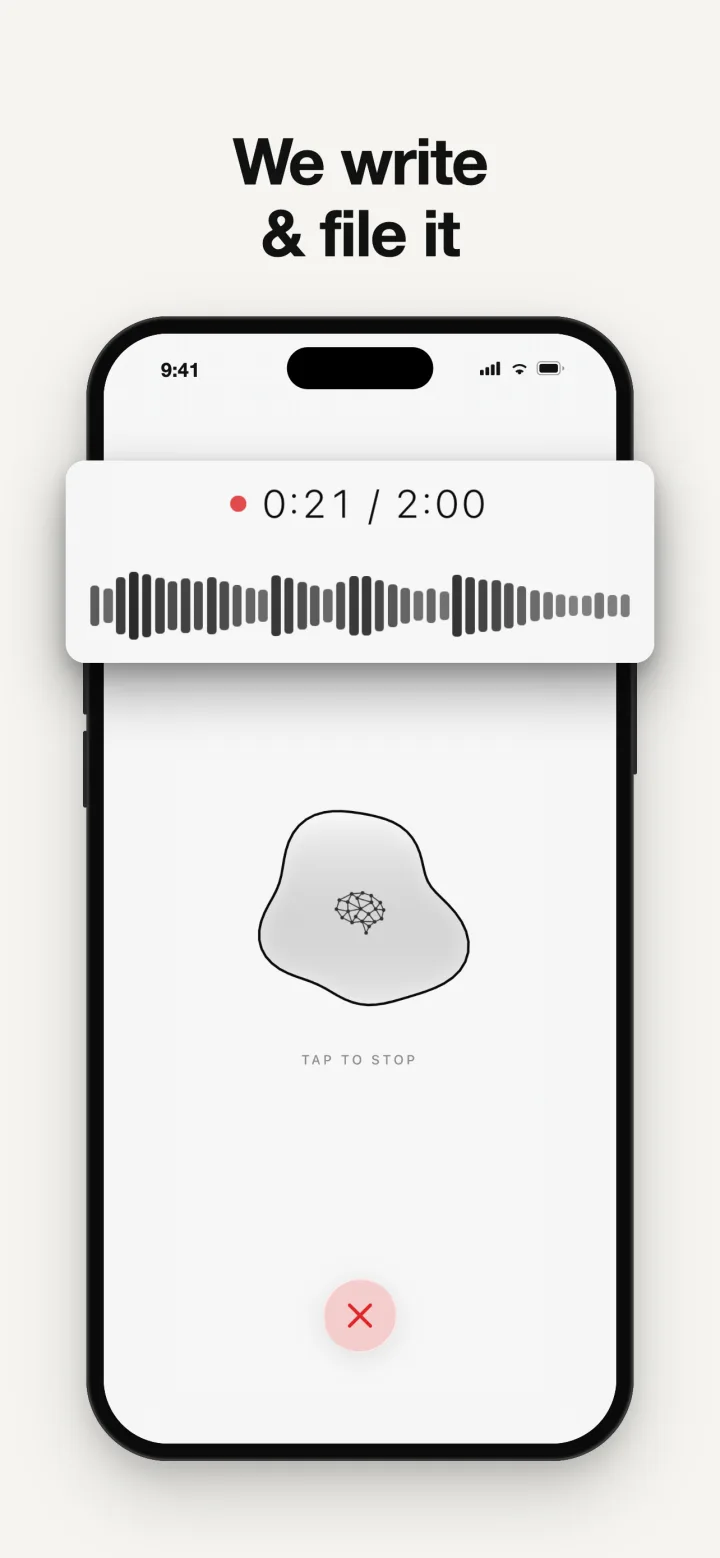
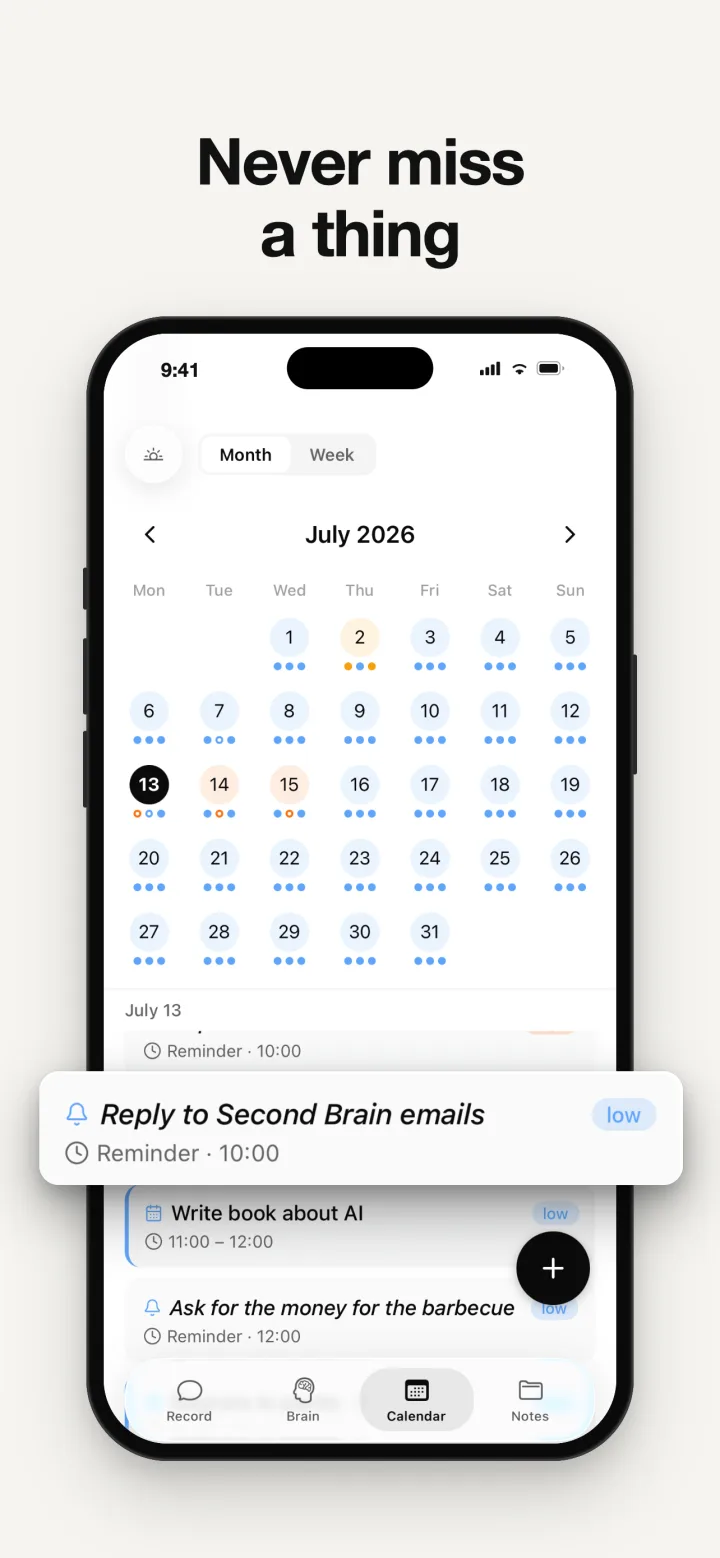
SecondBrain was built for memos like that one. The routine:
- Start recording. Tap record in the app, or on iPhone start it from Control Center or Back Tap without opening the app first.
- Talk for up to two minutes, in your own language; the note comes back in the language you spoke.
- Watch it file. It writes the note, titles it, files it in the right folder and creates the calendar events and reminders you asked for, and you can see each step as it happens. Events can mirror to your iPhone Calendar.
- Check the dates. Glance at anything with a date before you rely on it.
- Ask later. "When is the plumber coming?" works in the app, and with Pro in Claude, ChatGPT or Gemini, which read the same memory.
You can also share an audio file into SecondBrain from another app, and it is handled like a voice note. The free plan holds 10 notes and allows up to 3 AI requests a day, enough to try the routine before deciding whether Pro is worth it.
Accuracy and privacy
Transcription in 2026 is good enough that most errors are small, but small errors in the wrong place matter: a wrong digit in a time, a misheard surname, a dropped "not". Glance at anything that becomes an event or a reminder. As for privacy, ask where the audio goes and whether it is kept. Google says Recorder summaries run in a secure cloud environment, and Samsung's Transcript Assist needs a connection. SecondBrain sends recordings to Google's paid Gemini API to transcribe them, does not keep the audio permanently on its servers, and never uses your notes to train models.
Questions people ask
Can iPhone transcribe voice memos?
Yes. Since iOS 18, on iPhone 12 or later, Voice Memos transcribes recordings in ten languages: open a recording, tap the More button and choose View Transcript, or Copy Transcript to paste the text elsewhere. The transcript is plain text: it is not split by topic, filed with related notes or turned into reminders. To turn a memo straight into an organized note with its events and reminders, record it in SecondBrain instead.
How do I convert a voice memo to text on Android?
On a Pixel phone, use Google's Recorder app, which transcribes as you speak. On recent Samsung Galaxy phones, open Voice Recorder and use Transcript Assist. On other Android phones you can upload the audio to the Gemini app, or record in an app that transcribes for you. SecondBrain runs on Android and goes one step further: it files the note and turns dates into reminders.
What is the best app to turn voice notes into organized notes?
Otter.ai for meetings, Voicenotes for voice notes with summaries and automatic tags, and SecondBrain for notes that are filed automatically, with calendar events and reminders created from what you said. SecondBrain runs on iPhone, Android and the web and, with Pro, shares its memory with ChatGPT, Claude and Gemini.
Can ChatGPT transcribe a voice memo?
Yes, on paid plans. Since October 2026 you can upload an audio file such as an M4A or MP3 and ChatGPT will transcribe and summarize it, and the Mac desktop app has a Record mode for meetings. The transcript lives in your ChatGPT history. If you want your memos filed as notes with their reminders, SecondBrain does that, and with Pro ChatGPT can read them through MCP.
How long should a voice note be?
Short: one to two minutes, ideally one topic per recording. Long rambles are much harder to act on later. SecondBrain records up to two minutes per note, which keeps each recording focused enough to be filed and turned into reminders cleanly.
Are voice notes private?
Only as private as the service that processes them. Some features work on the phone, while many apps send audio to a cloud service. Before you record anything sensitive, check whether the audio is kept and whether it is used for training. SecondBrain sends recordings to Google's paid Gemini API for transcription, does not keep them permanently, and never trains models on your notes.
Sources
- Apple, View a transcription in Voice Memos on iPhone
- Apple, Record and transcribe audio in Notes on iPhone
- Apple, Record and transcribe a phone call
- Google, Recorder transcription and summaries
- Google, Recorder app compatibility
- Google, Save and share Recorder transcripts
- Apple, Suggested reminders with Apple Intelligence
- Samsung, Transcript Assist in Voice Recorder
- Samsung, Galaxy AI
- Otter.ai pricing
- Voicenotes
- Voicenotes, automatic tags
- OpenAI, ChatGPT release notes
- OpenAI, Uploading files and audio to ChatGPT
- OpenAI, ChatGPT Record
- Google, Upload files to the Gemini app
- Stanford: speech recognition is three times faster than texting
Just talk. SecondBrain remembers.
Free to start on iPhone, Android and the web. Speak once and it writes the note, files it and sets any reminder you ask for.